WhatsApp Automation: What Is It, Benefits, Uses & Examples (2026 Guide)
Complete guide to WhatsApp Automation in 2026. Learn what it is, key benefits, top use cases, real examples, and how to get started with the WhatsApp Business API.
WhatsApp Automation: What Is It, Benefits, Uses & Examples (2026 Guide)
Updated: March 23, 2026 | 10 min read
With over 3 billion monthly active users and a 98% message open rate, WhatsApp is the most powerful communication channel available to businesses today. But manually managing thousands of customer conversations is impossible — and that's exactly where WhatsApp Automation comes in.
In this complete guide, you'll learn everything about WhatsApp Automation in 2026: what it is, how it works, its key benefits, the top use cases, real-world examples, the best tools, and how to get started today.
Table of Contents
- What Is WhatsApp Automation?
- How Does WhatsApp Automation Work?
- Key Benefits for Businesses
- Top Use Cases in 2026
- Real-World Examples
- Best WhatsApp Automation Tools
- How to Get Started
- Frequently Asked Questions
1. What Is WhatsApp Automation?
WhatsApp Automation refers to using software tools to automatically send, manage, and respond to WhatsApp messages — without manual intervention for each interaction. Instead of your team personally replying to every customer query, automation handles repetitive communication tasks at scale, 24 hours a day, 7 days a week.
At its core, WhatsApp automation is powered by the WhatsApp Business API — Meta's official interface that allows verified businesses to connect third-party platforms, build chatbots, trigger message workflows, and integrate WhatsApp into their existing CRM and tech stack.
In simple terms: WhatsApp Automation enables your business to deliver instant, personalised responses to thousands of customers simultaneously — even while your team sleeps.
WhatsApp App vs. WhatsApp Business App vs. WhatsApp Business API
Not all WhatsApp products support automation equally. Here's a quick comparison:
| Product | Who It's For | Automation Capability |
|---|---|---|
| WhatsApp App | Personal use | None — manual only |
| WhatsApp Business App | Small businesses (up to 5 devices) | Basic: away messages, quick replies, greeting messages |
| WhatsApp Business API | Medium to large businesses | Full: chatbots, broadcasts, CRM integrations, AI agents, unlimited scale |
For serious business automation in 2026, the WhatsApp Business API is the essential foundation. It connects your business to platforms that enable sophisticated workflows, AI-powered chatbots, and mass personalised messaging — all while staying compliant with Meta's guidelines.
2. How Does WhatsApp Automation Work?
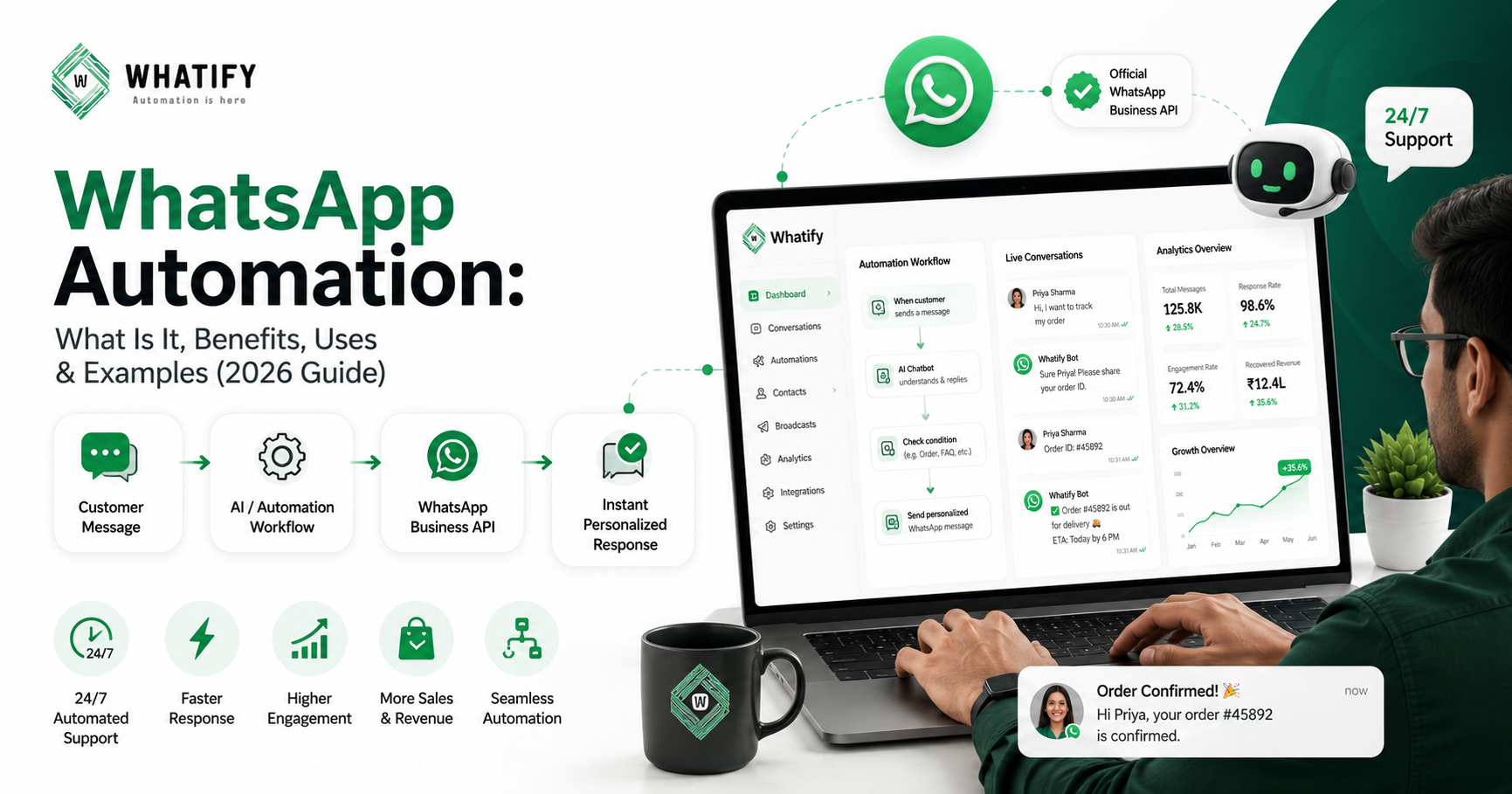
WhatsApp automation works by connecting your business systems to the WhatsApp Business API through a Meta-approved third-party platform called a BSP (Business Solution Provider). Here's the step-by-step flow:
- Connect to the WhatsApp Business API
Your business signs up with a Meta-approved BSP (like Twilio, AiSensy, or Gupshup) to access the official API. This requires business verification by Meta. - Set Up Automation Workflows
Using your chosen platform's no-code or low-code interface, you create trigger-based flows: "When customer says X → reply with Y" or "When order is placed → send confirmation." - Integrate with Your Business Tools
Connect to your CRM, e-commerce store (Shopify, WooCommerce), payment gateway (Razorpay, Stripe), or helpdesk. This allows automated messages to be triggered by real business events. - Deploy AI Chatbots (2026)
In 2026, task-specific AI chatbots power the most effective automations. Deploy focused bots for order tracking, lead qualification, FAQs, or appointment booking — driven by LLMs that understand natural language. - Monitor, Analyse & Optimise
Track open rates, response rates, conversion rates, and campaign ROI through your platform's analytics dashboard. Use this data to improve your flows over time.
Example: Automated Order Tracking Conversation
Here's what a typical automated order-tracking exchange looks like — with zero human involvement:
- Customer: "Hi, I want to track my order #45892"
- Bot (instant): "Hi Priya! Let me check that for you right away."
- Bot: "✅ Order #45892 — Blue Floral Kurta | Status: Out for delivery 🚚 | ETA: Today by 6 PM | Track live: track.store/45892"
- Customer: "Amazing, thank you!"
- Bot: "You're welcome! Need anything else? Reply: 1) Return/Exchange 2) Talk to agent 3) Browse new arrivals"
3. Key Benefits of WhatsApp Automation for Businesses
In 2026, WhatsApp messages carry a 98% open rate — compared to email's 21%. Automating your WhatsApp communication isn't just a productivity win — it's a serious competitive advantage. Here's why businesses are investing heavily in it:
1. Instant Response, 24/7
82% of customers in 2026 expect an instant reply. Automated responses ensure no lead or query goes unanswered — even at 3 AM on a Sunday.
2. 5× Higher Engagement Than Email
WhatsApp delivers 5× more engagement than email and SMS combined. Automating your presence here multiplies your reach dramatically without increasing your team size.
3. Save Team Time & Resources
49% of companies report that automation eliminates wasted time on repetitive tasks. Your team can focus on complex, high-value conversations that genuinely need a human touch.
4. Recover Lost Revenue
Automated abandoned cart reminders recover sales that would otherwise be permanently lost. Businesses also recover 3× more payments with automated payment reminders compared to manual follow-ups.
5. Better Customer Experience
Users who receive automated onboarding messages are 33% more likely to engage long-term. Consistent, personalised communication at scale builds genuine customer loyalty.
6. Measurable ROI
Real-time analytics show you exactly which campaigns drive revenue. Businesses like Smilodox (Germany) generated over €261,000 from a single automated WhatsApp campaign.
7. Seamless Integration with Your Tech Stack
Connect WhatsApp to 2,000+ tools — Shopify, Salesforce, Razorpay, HubSpot, and more. WhatsApp becomes a central communication nerve of your entire business operation.
8. Secure & GDPR-Compliant
WhatsApp maintains end-to-end encryption in 2026, with improved consent management tools to ensure safe, compliant business communication.
4. Top Use Cases of WhatsApp Automation in 2026
From e-commerce to healthcare, WhatsApp automation is reshaping customer communication across every industry. Here are the most impactful use cases businesses are deploying in 2026:
1. Welcome & Onboarding Messages
Send an instant, personalised welcome whenever a new customer signs up, makes their first purchase, or initiates a conversation. Automatically introduce your brand, set expectations, and guide users to their first meaningful action.
Best for: E-commerce, SaaS, Fintech
2. Order Confirmations & Delivery Updates
Automatically notify customers at every stage of their order journey — confirmation, dispatch, out-for-delivery, and delivered. This dramatically reduces "Where is my order?" support queries and improves satisfaction scores.
Best for: Retail, Logistics, Food Delivery
3. Abandoned Cart Recovery
One of the highest-ROI automation use cases. When a customer adds items to their cart but doesn't check out, an automated WhatsApp message — featuring the exact products and a personalised incentive — re-engages them before they buy from a competitor.
Best for: E-commerce, D2C Brands
4. Payment Reminders & Collections
Automate timely reminders for EMIs, subscription renewals, school fees, or invoices. Businesses that automate payment reminders collect 3× more payments in significantly less time — reducing defaults without awkward manual follow-ups.
Best for: Fintech, EdTech, Insurance
5. Lead Qualification & Sales Automation
Automatically qualify inbound leads by asking pre-set screening questions, collecting contact details, and routing hot leads to the right sales rep — all inside WhatsApp. Companies like iMotorbike handled 2× more leads using automated qualification flows.
Best for: Real Estate, Automotive, B2B Sales
6. Appointment Scheduling & Reminders
With WhatsApp Flows' new CalendarPicker component (launched in 2026), customers can book appointments without ever leaving the app. Automated reminders ensure they actually show up — significantly reducing no-shows for clinics, salons, and service businesses.
Best for: Healthcare, Salons, Legal Services
7. Customer Support & FAQ Automation
AI-powered chatbots handle the most common support questions instantly — return policies, business hours, product information, pricing. When queries become complex, the bot seamlessly hands off to a human agent with full conversation context preserved.
Best for: All industries, Customer Success teams
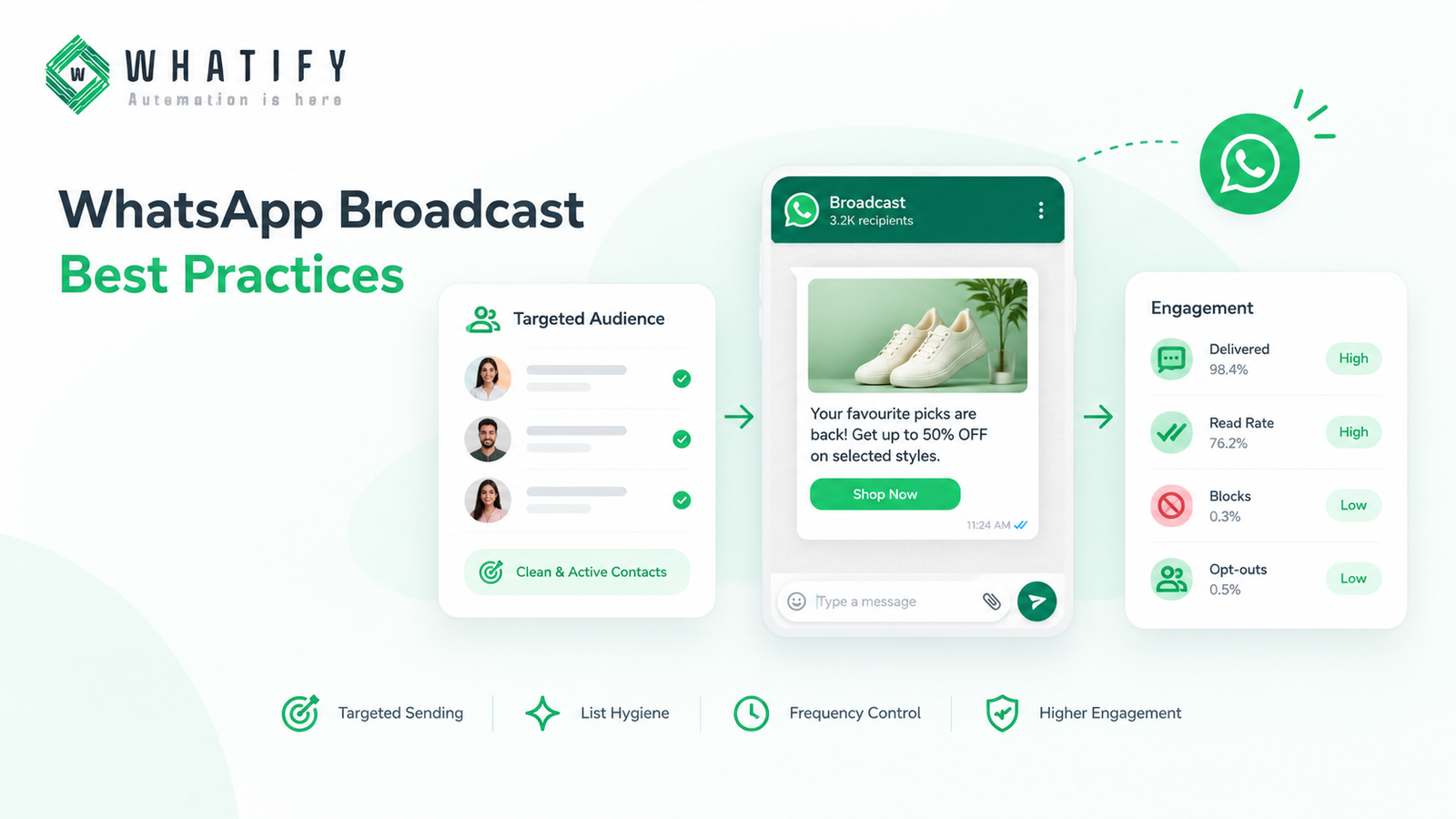
8. Promotional Broadcasts & Drip Campaigns
Send segmented, personalised promotional campaigns to thousands of opted-in customers at once — flash sales, new arrivals, seasonal offers. With audience segmentation based on purchase history and behaviour, the right message always reaches the right person.
Best for: Marketing, Retail, Travel
5. Real-World Examples of WhatsApp Automation
These real case studies from 2025–2026 demonstrate the measurable business impact of well-executed WhatsApp automation strategies:
Darling Hair (Kenya) — E-Commerce & Loyalty
Darling Hair automated their salon loyalty program through WhatsApp. Stylists now track and redeem reward points directly in chat, replacing paper vouchers entirely.
Result: 300% sales increase | Customer base grew from 2,000 to 13,500
Smilodox (Germany) — Fashion / D2C
Smilodox ran a single automated WhatsApp broadcast campaign targeting segmented, opted-in customers with personalised offers sent at optimal times.
Result: Over €261,000 in revenue generated from one campaign
Tates GmbH — Seasonal Campaign
Tates GmbH executed a time-limited Halloween WhatsApp automation campaign using personalised templates, audience segmentation, and urgency-based messaging.
Result: 275.9× return on investment
iMotorbike — Automotive Lead Generation
iMotorbike deployed AI-powered lead qualification bots on WhatsApp that filtered, tagged, and routed enquiries before any human agent got involved.
Result: 2× more leads handled efficiently with the same team size
Key insight: The best results come not from simply "automating everything," but from using automation strategically — at the right moment in the customer journey, with the right message, for the right audience segment.
6. Best WhatsApp Automation Tools in 2026
Choosing the right platform depends on your business size, technical capability, and specific use cases. Here's a comparison of the leading WhatsApp automation tools available in 2026:
| Tool | Best For | Key Feature | Pricing |
|---|---|---|---|
| AiSensy | Small businesses, beginners | Easy setup, chatbot flows, 2000+ integrations | Free plan available |
| Interakt | E-commerce brands | Shopify integration, full customer lifecycle automation | Paid plans |
| Gupshup | Enterprise / Technical teams | Advanced APIs, LLM-powered AI agents, multi-channel | Enterprise pricing |
| WATI | Support-focused teams | Shared inbox, no-code flow builder | Paid plans |
| Gallabox | Team productivity | Shared inbox, workflow automation builder | Paid plans |
| Brevo (Sendinblue) | Omnichannel marketers | Email + WhatsApp + SMS in one platform | Free plan available |
| ManyChat | Creators, micro-businesses | Multi-channel: WhatsApp, Instagram, TikTok, SMS | Free plan available |
| Flowcart | E-commerce, in-chat sales | Catalog, in-chat checkout, payments, analytics | Paid plans |
💡 Important: Always choose a platform that connects to the official WhatsApp Business API. Tools that use unofficial methods violate WhatsApp's terms of service and risk permanent account bans.
7. How to Get Started with WhatsApp Automation
Ready to automate your WhatsApp business communication? Here's a practical step-by-step roadmap for 2026:
- Verify Your Business & Get API Access
Apply for WhatsApp Business API access through a Meta-approved BSP. You'll need a verified Facebook Business Manager account and a dedicated phone number not previously registered on WhatsApp. - Choose the Right Platform
Pick a BSP platform based on your needs. Start simple (AiSensy or ManyChat for small businesses) or go enterprise-grade (Gupshup or WATI for larger teams). Ensure it offers a visual flow builder, CRM integration, and solid analytics. - Collect Customer Opt-Ins
WhatsApp requires explicit customer consent before sending business messages. Collect opt-ins via your website, checkout forms, ads, or QR codes. This is non-negotiable for compliance. - Create & Get Message Templates Approved
Outbound messages (sent outside a 24-hour conversation window) require pre-approved templates. Write clear, value-driven templates and use full URLs — Meta rejects shortened URLs in 2026. Most templates are approved within minutes. - Build Your First Automation Flow
Start with a simple, high-impact flow — like a welcome message or order update. Test it thoroughly. Then layer in more complex flows: lead qualification, abandoned cart recovery, FAQ chatbot. - Track, Analyse & Optimise
Monitor open rates, reply rates, conversion rates, and revenue attribution. A/B test different message approaches. Use data to cut what isn't working and scale what is.
2026 Compliance Note: Meta introduced frequency capping in 2026, limiting how many marketing messages individual users can receive. This makes smart audience segmentation and targeting more important than ever — quality over quantity always wins.
Conclusion
WhatsApp Automation in 2026 is no longer a nice-to-have — it's a measurable revenue driver for businesses of every size and industry. With a 98% open rate, 3 billion+ active users, and rapidly maturing AI capabilities, WhatsApp is the most powerful channel to automate your customer communication.
Start with one simple automation — a welcome message, an order update, or an abandoned cart reminder — and build from there. The businesses winning in 2026 are those that communicate faster, smarter, and more personally than their competitors.
Ready to get started? Choose a Meta-approved BSP platform, set up your first flow, and experience the difference that WhatsApp automation makes to your customer engagement and revenue.
Last updated: March 23, 2026. This guide covers WhatsApp automation using the official WhatsApp Business API only. Always verify compliance with WhatsApp's Business Policy and your local data protection regulations before deploying automation.
Frequently Asked Questions
Yes — when done through the official WhatsApp Business API with explicit customer consent. WhatsApp actively monitors compliance and will ban numbers that violate its policies. Always collect opt-ins, use Meta-approved message templates, and work with a verified BSP.
Absolutely. Small businesses often benefit the most because automation levels the playing field against larger competitors. Platforms like AiSensy and ManyChat offer free plans with robust automation features built specifically for small business needs.
The WhatsApp Business App is a free standalone app for small businesses with basic features (away messages, quick replies, up to 5 linked devices). The WhatsApp Business API is designed for medium-to-large businesses and enables advanced automation, chatbots, broadcasts to thousands of users, CRM integrations, and multi-agent shared inboxes — all at scale.
Costs vary by platform and usage volume. The WhatsApp Business API uses a per-message pricing model (Meta updated its pricing model in 2026). Platform fees range from free tiers to hundreds of dollars monthly for enterprise plans. Utility messages sent within the 24-hour service window are free, making inbound-triggered responses very cost-effective.
You can automate welcome messages, order confirmations, delivery notifications, payment reminders, abandoned cart recovery, appointment reminders, lead qualification responses, FAQ answers, promotional broadcasts, and post-purchase follow-ups. All outbound messages (initiated by your business) require pre-approved message templates.
Yes. WhatsApp maintains end-to-end encryption for all messages in 2026. Official BSP platforms are also required to comply with data protection regulations including GDPR. Always ensure your chosen platform stores customer data securely and respects privacy policies.
WhatsApp Flows is a feature that allows businesses to create structured, interactive experiences inside WhatsApp — like booking forms, surveys, or product selections. In 2026, Flows received major updates including a CalendarPicker component, enabling customers to schedule appointments without ever leaving WhatsApp. This dramatically increases completion rates compared to redirecting users to external websites.
Ready to automate your WhatsApp marketing?
Start your 14-day free trial today. No credit card required.
Start Free Trial